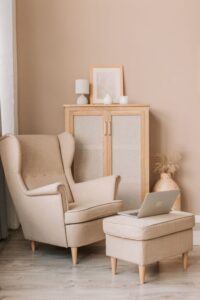
Creating a home workspace that is both comfortable and productive is essential for anyone working remotely or spending significant time at home for tasks. A well-planned workspace can improve focus, reduce stress, and help you separate work from personal life. In this post, we’ll explore key tips to help you design an environment that supports your best work.
Choose the Right Location
Find a Quiet, Dedicated Space
Start by selecting a spot in your home that is as quiet and free from distractions as possible. Ideally, this space should be dedicated solely to work tasks. Using a separate room or a corner away from high-traffic areas helps signal your brain that it’s time to focus.
Consider Natural Light
Natural light can lift your mood and energy levels. Place your desk near a window if possible, but avoid direct glare on your computer screen. If natural light is limited, invest in good quality artificial lighting to reduce eye strain.
Invest in Comfortable Furniture
Ergonomic Chair and Desk
The right chair is a vital investment. Look for an ergonomic chair that supports your lower back and encourages good posture. Your desk height should allow your arms to rest comfortably at a 90-degree angle when typing.
Adjustable Options
A sit-stand desk or a desk converter allows you to alternate between sitting and standing. This can reduce fatigue and improve circulation throughout your workday.
Organize and Declutter
Keep Essentials Within Reach
Arrange your workspace so that frequently used items like your computer, phone, and stationery are easily accessible. This minimizes unnecessary movement and keeps your focus on tasks.
Use Storage Solutions
Utilize shelves, drawers, and organizers to keep paperwork and supplies tidy. A clutter-free desk helps clear your mind and reduces distractions.
Optimize Technology Setup
Reliable Internet and Devices
Ensure you have a strong internet connection to avoid interruptions during video calls or downloads. Use reliable devices and keep software up to date for smooth performance.
Manage Cables
Tidy up cables using clips, sleeves, or under-desk trays. Untangling cords every day wastes time and can be frustrating.
Personalize Your Space
Add Comfort Items
Incorporate items that make you feel relaxed and motivated. This could include plants, artwork, or a cozy rug. A pleasant atmosphere makes it easier to spend long hours comfortably.
Control Temperature and Air Quality
Make sure the room temperature suits your preferences, and air circulation is good. Fresh air and a comfortable climate can improve concentration and well-being.
Establish a Work Routine
Set Working Hours
Define clear start and end times for your workday to help maintain a healthy work-life balance. Having a schedule can improve productivity and reduce burnout.
Take Regular Breaks
Use methods like the Pomodoro Technique to take short breaks during work sessions. Stretching, moving around, or stepping outside briefly can refresh your mind and body.
Reduce Noise Distractions
Use Noise-Canceling Headphones
If your environment has unavoidable noise, noise-canceling headphones can help you stay focused.
Background Music or White Noise
Some people find that soft background music or white noise improves concentration. Experiment to find what works best for you.
Maintain Healthy Habits
Stay Hydrated and Nourished
Keep a water bottle nearby and remember to eat balanced meals. Proper hydration and nutrition support brain function and energy levels.
Practice Good Posture
Be mindful of your posture throughout the day. Small adjustments can prevent discomfort and long-term health issues.
—
By thoughtfully planning your home workspace, you can create a comfortable environment that encourages focus and productivity. Start by choosing the right location and investing in ergonomic furniture, then organize your space, optimize technology, and personalize it to suit your needs. With these tips, your home office can become a place you look forward to working in each day.