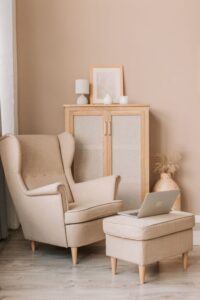
Creating a home workspace that is inviting and organized can greatly enhance your productivity and overall well-being. Whether you work from home full-time or occasionally need a dedicated spot to focus, a thoughtfully arranged workspace helps minimize distractions and keeps you motivated. In this post, we’ll explore practical tips to design a home office that feels comfortable and functions efficiently.
Choose the Right Location
Selecting the ideal spot for your workspace is the first step. Ideally, pick a quiet area with minimal foot traffic to reduce interruptions. If possible, choose a space near natural light, such as next to a window. Natural light not only brightens your area but also improves mood and alertness.
If space is limited, consider creating a designated zone in a corner of your living room or bedroom. Using room dividers or even a decorative bookshelf can help define your workspace and give it boundaries.
Invest in Comfortable, Functional Furniture
Your chair and desk play a central role in comfort and organization. Choose an ergonomic chair that supports your back and encourages good posture, especially if you spend long hours working. Adjustable chairs are ideal as they can be tailored to your height and desk setup.
For your desk, look for a size that fits your essential equipment without cluttering the space. If possible, select one with built-in storage or consider adding organizers to manage supplies like pens, notebooks, and chargers.
Keep Clutter at Bay with Smart Storage Solutions
An organized workspace reduces stress and helps you focus. Incorporate storage options that suit your needs:
– Shelves: Great for books, binders, and decorative items.
– Drawers: Perfect for keeping smaller office supplies or documents out of sight.
– Desk Organizers: Use trays, pencil holders, and file sorters to keep your desktop tidy.
– Cable Management: Use clips or sleeves to keep cords neat and prevent tangling.
Regularly declutter your workspace by removing items you don’t use daily. A clean surface promotes clarity and efficiency.
Add Personal Touches to Make It Inviting
Your workspace should feel welcoming to encourage you to spend time there. Add personal touches like:
– Plants: Small indoor plants add a pop of green and improve air quality.
– Art or Photos: Frame pictures or artwork that inspire you.
– Lighting: Consider a warm desk lamp for task lighting that reduces eye strain.
– Textures: Use cushions or rugs to soften the space and increase coziness.
These details can boost your mood and help you feel more connected to your workspace.
Optimize Lighting for Comfort and Productivity
Good lighting is crucial. Position your desk to maximize natural light, but avoid glare on your computer screen. Supplement with adjustable artificial lighting, such as a desk lamp with brightness control.
If you work in the evenings or darker rooms, warm-toned bulbs can create a comfortable atmosphere without being harsh on your eyes.
Establish a Functional Layout
Arrange your workspace so that frequently used items are within easy reach. Place your computer, keyboard, and mouse where they promote comfortable posture. Keep a planner or calendar nearby to manage deadlines and tasks.
If you need space for writing or reviewing documents, ensure your desk has a clear area reserved for these activities. Consider a secondary surface, like a small side table, for additional workspace if needed.
Minimize Distractions
Create an environment that supports focus:
– Use noise-canceling headphones or play soft background music if noise is an issue.
– Turn off notifications on your phone or use apps that limit distractions during work hours.
– Keep non-work-related items out of view to maintain a professional atmosphere.
Maintain Your Workspace Regularly
Set a routine to tidy up your workspace daily or weekly. Simple habits like filing papers immediately, wiping down surfaces, and organizing cables keep your space clean and welcoming.
Additionally, periodically assess your setup and make adjustments if needed, such as rearranging furniture or updating storage solutions as your work needs evolve.
Embrace Technology to Stay Organized
Use digital tools to complement your physical organization:
– Cloud storage services help manage documents without cluttering your desk.
– Task management apps keep you on track and reduce the need for excessive paper.
– Digital calendars synchronize appointments and reduce reliance on paper planners.
Balancing digital and physical organization contributes to a more efficient workspace.
—
Creating an inviting and organized home workspace is about more than just aesthetics; it’s about building an environment that supports your focus and well-being. By choosing the right location, investing in ergonomic furniture, managing clutter, personalizing your space, optimizing lighting, and maintaining organization habits, you can transform any corner of your home into a productive haven. Start small and tailor your workspace to fit your unique needs for the best results.